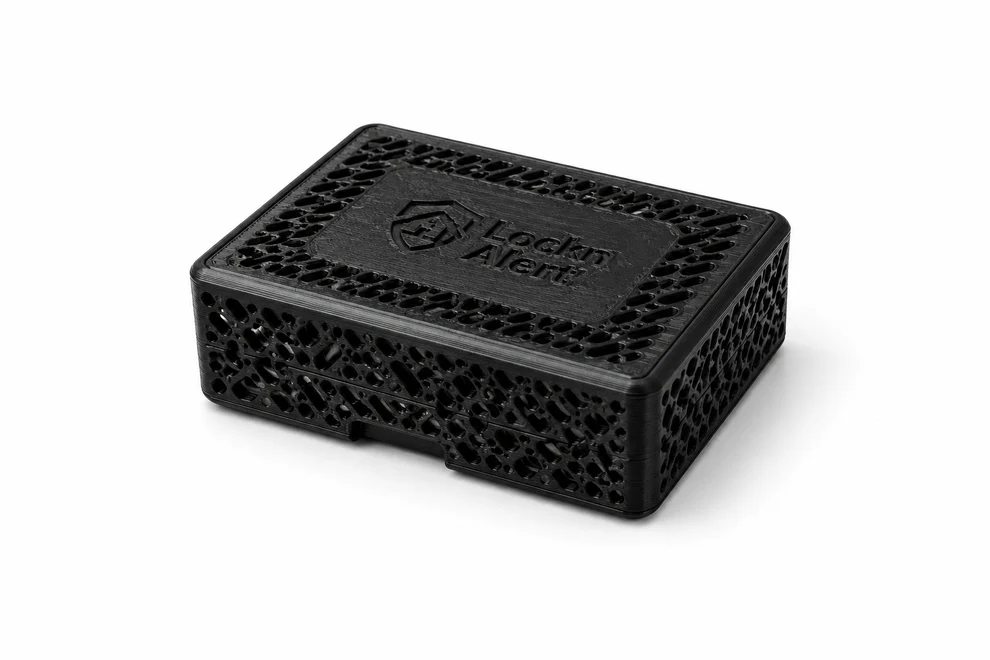
Connect your Paradox alarm panel to Home Assistant — with Home Assistant
running right on the device. No separate hub required, no cloud, no
monthly fees.
Once-off purchase · No debit orders · No ongoing costs
The LocknAlert Bridge V2 connects directly to your Paradox alarm
panel's built-in serial port — and it runs Home Assistant on the
device itself, the same platform that powers our Home Hub and Home
Hub Secure+. You don't need a separate Home Assistant instance or
hub: plug in the Bridge V2 and your alarm is a full smart home
controller.
Home Assistant runs on-device — no separate hub needed
Arm and disarm your alarm from any device on your network
See all zones live — armed, open, or tripped — at a glance
Real-time push notifications for every alarm event
Build automations: auto-arm at bedtime, notify when zones trip
Give guests, cleaners, or your gardener their own temporary code
— sent straight to WhatsApp, no app required
Built-in AI assistant diagnoses problems in plain English —
often before you'd need to call your installer
Fully local — nothing leaves your home network
Works during load-shedding and internet outages
Compatible with Magellan (MG), Spectra (SP) and EVO panels
Built and assembled to order · Ships within South Africa · Payment
via major cards
Why LocknAlert Bridge V2?
Everything the original Bridge does — plus Home Assistant built right
in.
Home Assistant on-device
No separate hub, no external instance to maintain. The Bridge V2
is a full Home Assistant appliance for your alarm.
R0 / month forever
One purchase. No debit orders, subscriptions, or hidden costs —
ever.
Works offline
Keeps working during load-shedding and ISP outages. Local is
always reliable.
Stays in your home
Runs on your local network. No third-party servers involved at any
point.
Guest & Service Access, Built In
Give an Airbnb guest, your cleaner, or the gardener their own way in —
without ever sharing your alarm code.
A code for every guest
Date-range codes for Airbnb stays, one-time codes for a service
visit, or permanent codes for a regular cleaner or gardener — each
one separate from your own.
No app for your guest
Codes are sent straight to WhatsApp with a link to a
phone-friendly keypad. They tap the link, type their code, they're
in — nothing to download or install.
Home Assistant knows who came by
Every code fires its own Home Assistant event — "guest arrived",
"gardener disarmed" — so you can build automations: lights on, a
notification, whatever you want.
AI-powered diagnostics
LocknAlert's built-in AI assistant, Locki, explains problems in
plain English and suggests a fix — right on the dashboard or over
WhatsApp — often before you'd need to call anyone.
What's in the Box
Everything you need to get your Paradox alarm talking to your phone —
with Home Assistant already on board.
In the box
LocknAlert Bridge V2 unit
Pre-made serial cable (for your panel)
Power supply
Pre-configured Home Assistant
Setup guide & portal access
Built to order: Each Bridge V2 is assembled and
configured after your order is placed. Standard lead time is
approximately 1 week from payment. We'll keep you
updated by email.
Up and Running in Minutes
No electrician. No IT degree. Plug in, configure once, done — Home
Assistant is already installed.
01
Plug in the Bridge V2
Connect the included cable to your Paradox panel's serial port and
plug the Bridge V2 into power and your router.
02
Open the Setup Portal
Visit the built-in portal from any browser on your network. Enter
your panel details — takes about 5 minutes.
03
Control from Your Phone
Home Assistant is already running on the device — zones, arm
status, notifications, and automations are live immediately.
Works with Magellan (MG),
Spectra (SP), and EVO Paradox panels
running firmware below version 7.50.000. Connects via
the panel's built-in TTL 5 V serial port — no IP modules needed.